


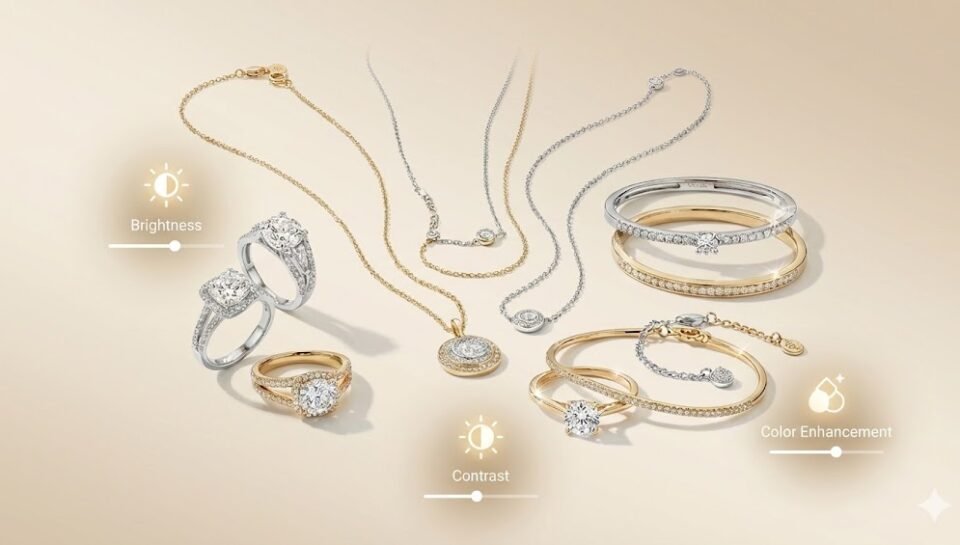
5 Jewelry Photo Editing Secrets to Make Your E-commerce Sales Skyrocket
Why Jewelry Photo Editing Matter
In online selling, your customer cannot touch, feel, or try your jewelry. They only see your photos. That photo becomes your salesperson. If your image looks dark, flat, or unprofessional, people will scroll away without thinking twice. If it looks bright, sharp, and luxurious, they will stop and explore your product.
Jewelry is a high value product. Customers expect it to look perfect. Even a small flaw in the image can lower the perceived value. Photo editing helps you present your jewelry in the best possible way. It improves clarity, enhances shine, and removes distractions.
Strong images build trust. Trust builds confidence. Confidence drives sales.
Here are 5 powerful jewelry photo editing secrets that can help increase your e-commerce sales.
1. Perfect the Lighting and Brightness
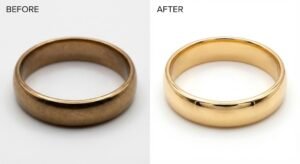
Lighting is everything in jewelry photography. Even if you use good equipment, raw images often look dull or uneven. Gold may appear too dark. Silver may look gray. Gemstones may lose their brilliance.
Through editing, you can carefully adjust:
- Exposure
- Brightness
- Contrast
- Highlights
- Shadows
When you increase brightness properly, the metal looks polished and clean. Adjusting contrast helps define the edges and curves of rings, necklaces, and bracelets. Managing highlights prevents overexposed white spots that hide important details.
Balanced lighting creates depth. Depth makes the jewelry look real and three dimensional instead of flat. A flat image looks cheap. A well-lit image looks premium.
You should also make sure the shine looks natural. Too much brightness can remove texture. Too little brightness makes the piece look heavy and lifeless. The goal is balance.
Well-edited lighting can make a simple piece look high end. And high end products attract serious buyers.
2. Remove Dust, Scratches, and Imperfections
High resolution cameras capture every tiny detail. That includes dust, fingerprints, micro scratches, and small dents that are not visible to the naked eye.
When customers zoom into your image, they see everything. If they notice dust or marks, they may assume the jewelry is old or poorly handled.
During editing, zoom in closely and remove:
- Dust particles
- Smudges
- Fingerprints
- Surface scratches
- Background dirt
Clean editing shows professionalism. It tells customers that your brand pays attention to details.
Jewelry represents beauty and perfection. Your photos should reflect that same standard. Even if the product is brand new, minor imperfections in the photo can damage its value perception.
A spotless image creates a feeling of quality and care. That feeling influences buying decisions more than you think.
3. Enhance the Sparkle Without Making It Fake
Sparkle sells jewelry. But there is a difference between enhancing and over editing.
Natural sparkle comes from proper light reflection and sharpness. Editing allows you to enhance clarity and improve gemstone brilliance without making it look artificial.
You can:
- Slightly sharpen gemstone edges
- Improve clarity
- Increase local contrast
- Enhance reflections carefully
- Boost vibrance subtly
Diamonds should look crisp and sharp. Sapphires should look deep blue. Emeralds should look rich green. But colors must remain realistic.
Over editing can make stones look plastic or unreal. Customers are smart. If something looks fake, they will not trust it.
Subtle enhancement is powerful. It brings out the best in your jewelry while keeping it authentic.
When sparkle looks believable, customers imagine wearing it. That emotional connection increases desire.
4. Use Clean and Consistent Backgrounds
The background is not just empty space. It shapes how customers see your product.
A messy background distracts attention. It reduces focus and weakens your brand image. Editing allows you to clean or replace the background easily.
You can:
- Remove unwanted objects
- Change background to pure white
- Add soft shadows
- Create soft luxury tones like beige or light gray
White backgrounds work well for marketplaces because they look clean and professional. Soft neutral backgrounds work well for branded websites because they add warmth and elegance.
Consistency across all product images is very important. If one product has a dark background and another has a bright one, your store will look unorganized.
Uniform editing creates a strong brand identity. A strong brand identity increases trust and recognition.
Customers are more likely to buy from stores that look professional and consistent.
5. Adjust Colors to Match the Real Product
Color accuracy is critical in jewelry sales. If your photo shows bright yellow gold but the real product looks pale, customers will feel disappointed.
Editing allows you to correct:
- White balance
- Color temperature
- Metal tones
- Gemstone saturation
Gold should look warm and rich. Rose gold should look soft pink. Silver should look clean and neutral, not blue or dull.
Color correction also ensures that gemstones appear true to life. Ruby should look deep red, not orange. Sapphire should look royal blue, not purple.
Accurate colors reduce returns and complaints. They also improve customer satisfaction.
When customers receive exactly what they saw online, they feel happy and confident to buy again.
Consistency in color across your entire catalog also strengthens your brand credibility.
Bonus Tip: Crop and Optimize for Every Platform
Editing is not complete without proper cropping and resizing.
Different platforms have different image size requirements. Social media, online marketplaces, and websites all display images differently.
Proper cropping:
- Keeps the jewelry centered
- Removes unnecessary empty space
- Highlights details clearly
- Makes the product visible even on mobile
Most shoppers use mobile phones. If your jewelry looks too small on a small screen, people will not zoom in. They will move on.
Optimized images load faster. Faster loading improves user experience. Better user experience increases conversion rate.
Simple adjustments like cropping and resizing can make a big difference in engagement and sales.
Conclusion
Jewelry photo editing is not just about making pictures look attractive. It is about presenting value, building trust, and increasing conversions.
When your images are bright, clean, detailed, color accurate, and consistent, customers feel confident. Confidence reduces hesitation. Less hesitation leads to more purchases.
In e-commerce, your product photo is your strongest marketing tool. It speaks before you do. It sells before you explain.
Invest in strong photo editing. Pay attention to small details. Every small improvement increases perceived value.
Better photos do not just improve your website. They improve your sales, your brand image, and your long term growth.
Customers buy what they see. Make sure what they see looks worth buying.